
An engagement, the versions it used, and a feed that cannot leak.
Rostrum keeps four things and ties them together: the engagements you are working on, the talks you give, the materials you write, and the public feed that shows the world what is confirmed. The Scout finds new engagements and hands them to you as prospects.

From invitation to delivered
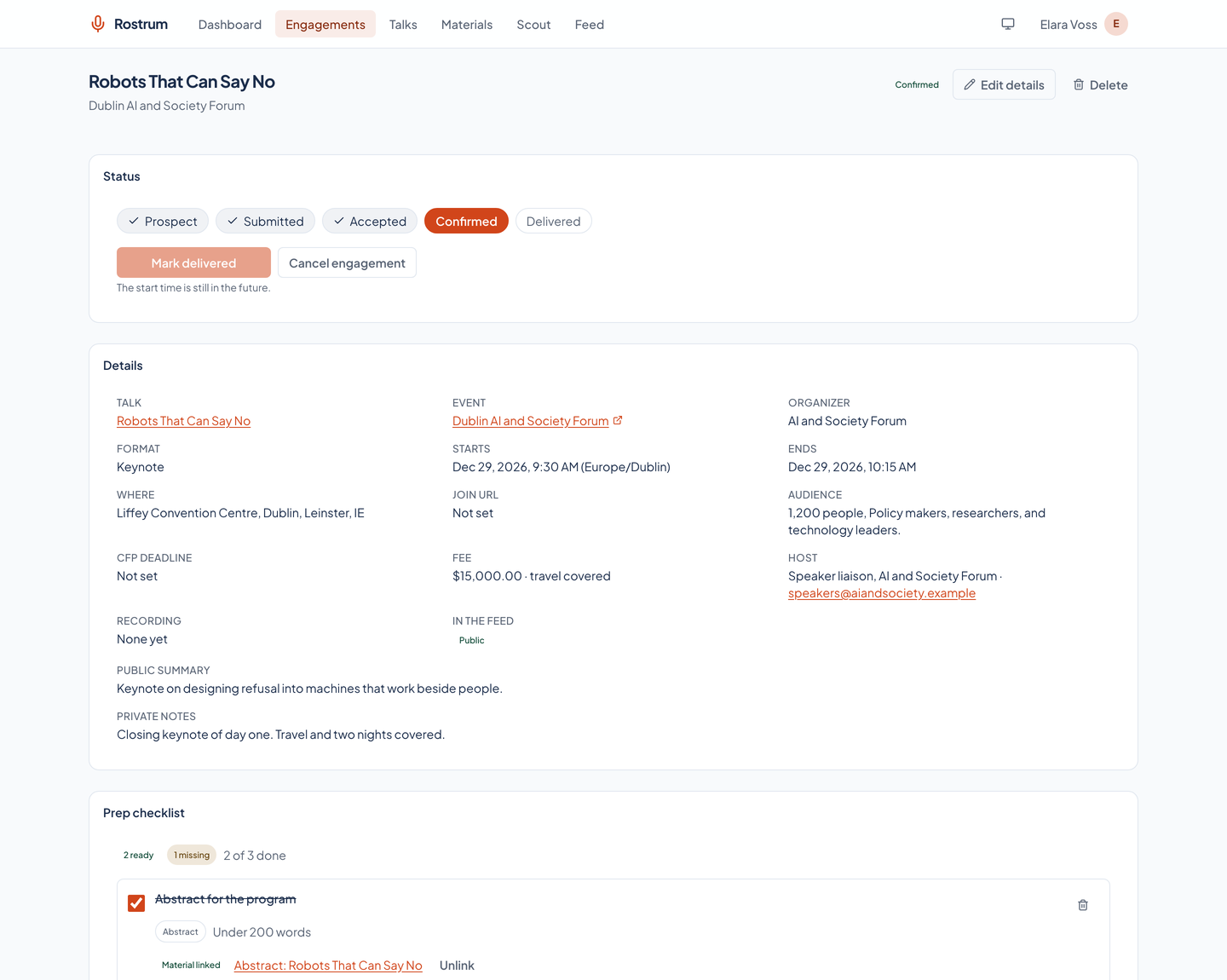
Every engagement has one status, and the status changes only through a fixed set of moves.
A prospect can also be declined, a submitted proposal can be rejected, and a prospect, submitted, accepted, or confirmed engagement can be canceled. A declined, rejected, or canceled engagement can go back to prospect. A prospect can be confirmed directly when the invitation arrives settled. A delivered engagement is final. Anything else is refused with a message that lists the legal next moves.
Every change is written to the engagement's history with its time and an optional note. A plain edit never changes the status; only a status move does.
Prospect
An invitation arrived, a call for proposals opened, or you accepted a Scout recommendation. You note the event, the date, the host, and the talk you mean to give.
Submitted
You sent a proposal. The engagement waits for the event to reply.
Accepted
The event said yes, and the details are not settled yet.
Confirmed
The date, place, and terms are agreed. A confirmed engagement needs a start time, and a public one now appears in the feed.
Delivered
The talk happened. It needs a start time that has passed. Add the recording and the public slides, and they join the feed entry.
Materials and the version each engagement used
A material is something you write or keep for a talk: an abstract, a bio, a deck, a script, a recording.
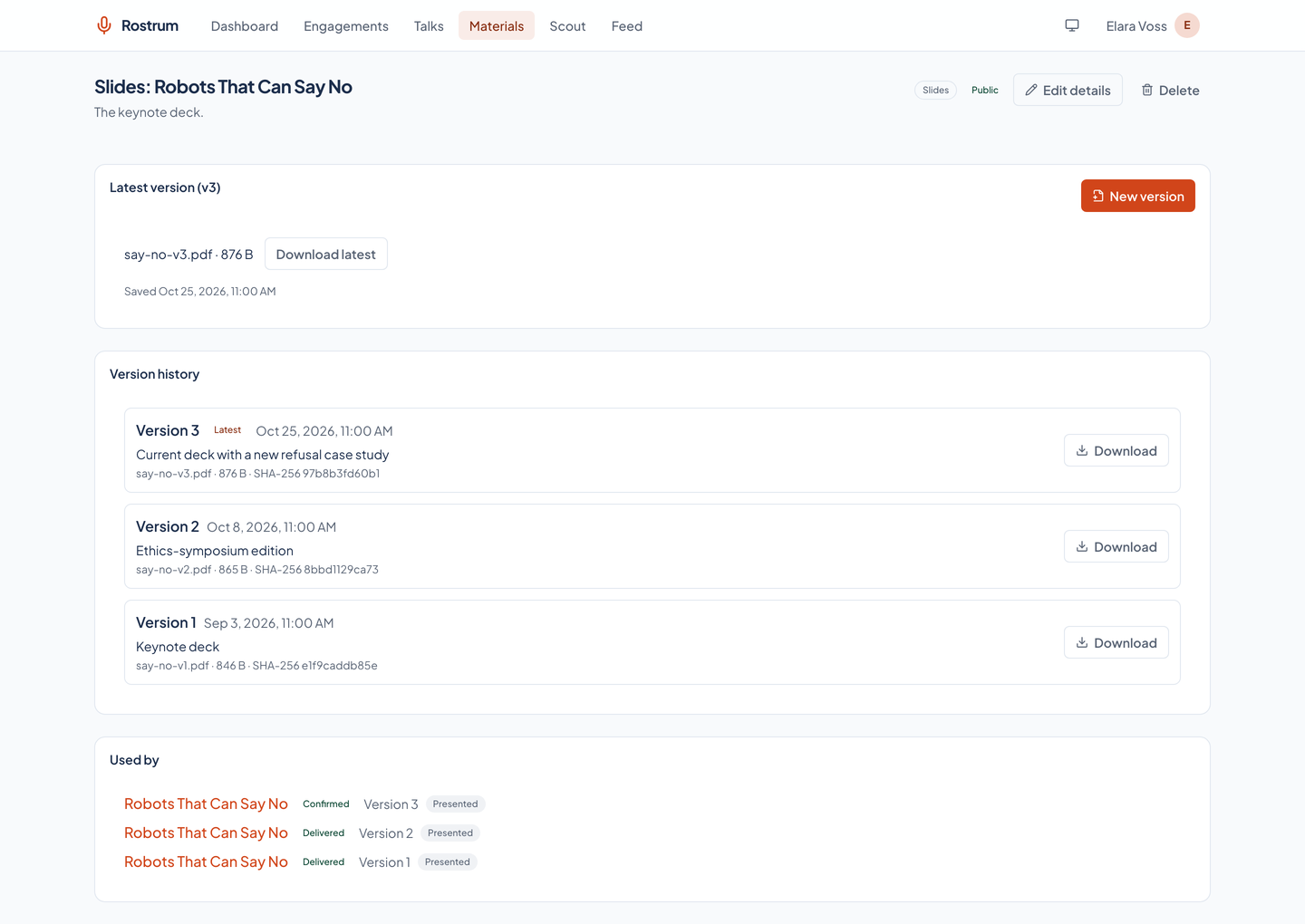
Changing a material never overwrites it. The change becomes a new numbered version with a note, and an uploaded file keeps its name, type, size, and SHA-256 checksum. Earlier versions stay readable and downloadable.
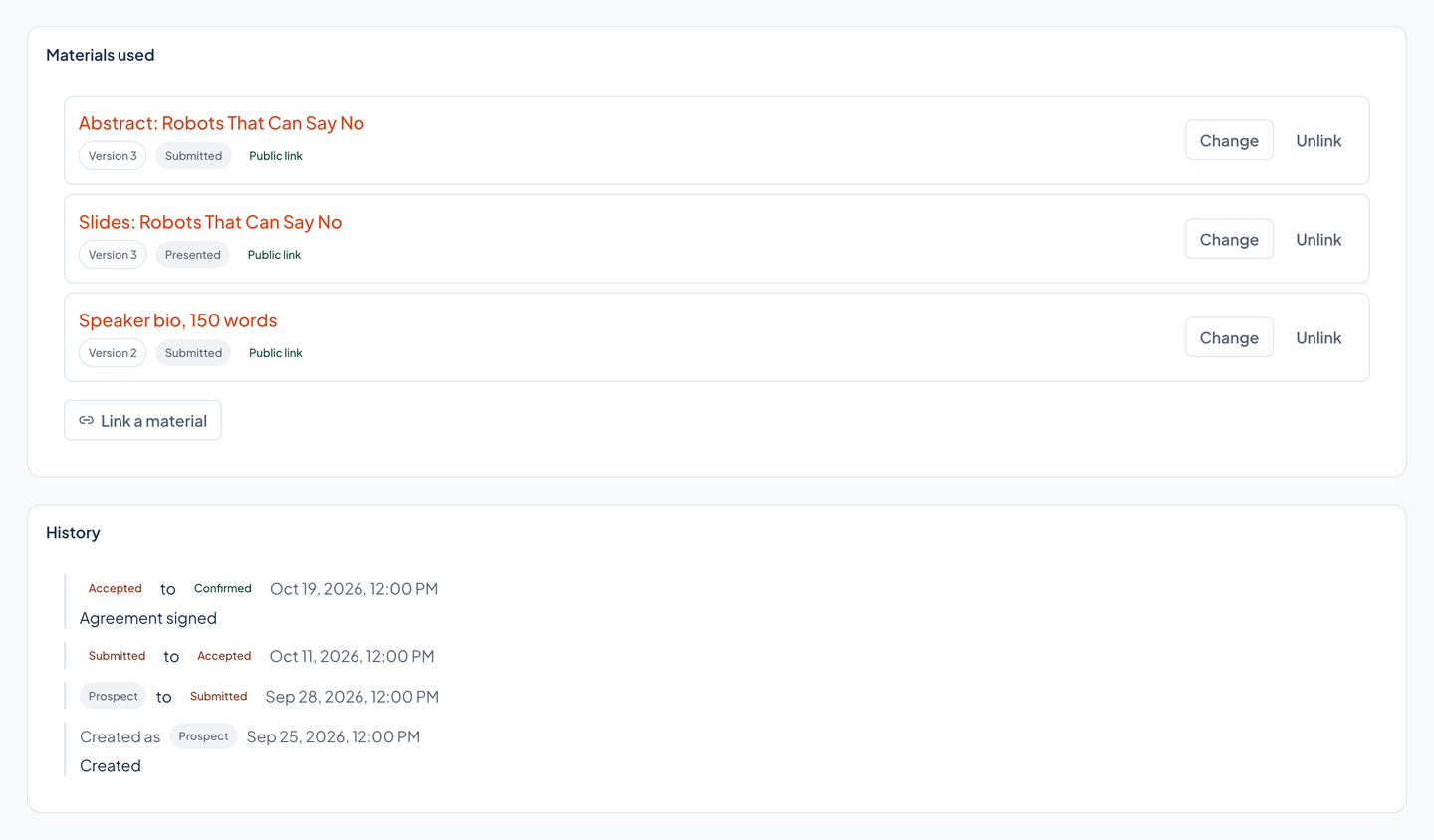
An engagement links a material at one version, and gives the link a role. Linking without a version pins the latest one. When the deck changes next month, the engagement from last month still points at the deck it actually used.
| Kinds | Abstract, bio, slides, script, speaker notes, outline, handout, video, audio, photo, link, and other |
|---|---|
| Content | Markdown text, an uploaded file (up to 250 MB), or a link |
| Roles on an engagement | Presented, handout, submitted, promo, and recording, each with its own public flag |
| Protected | A material linked to any engagement cannot be deleted |
The public feed
Your website reads the feed. It never reads the app.
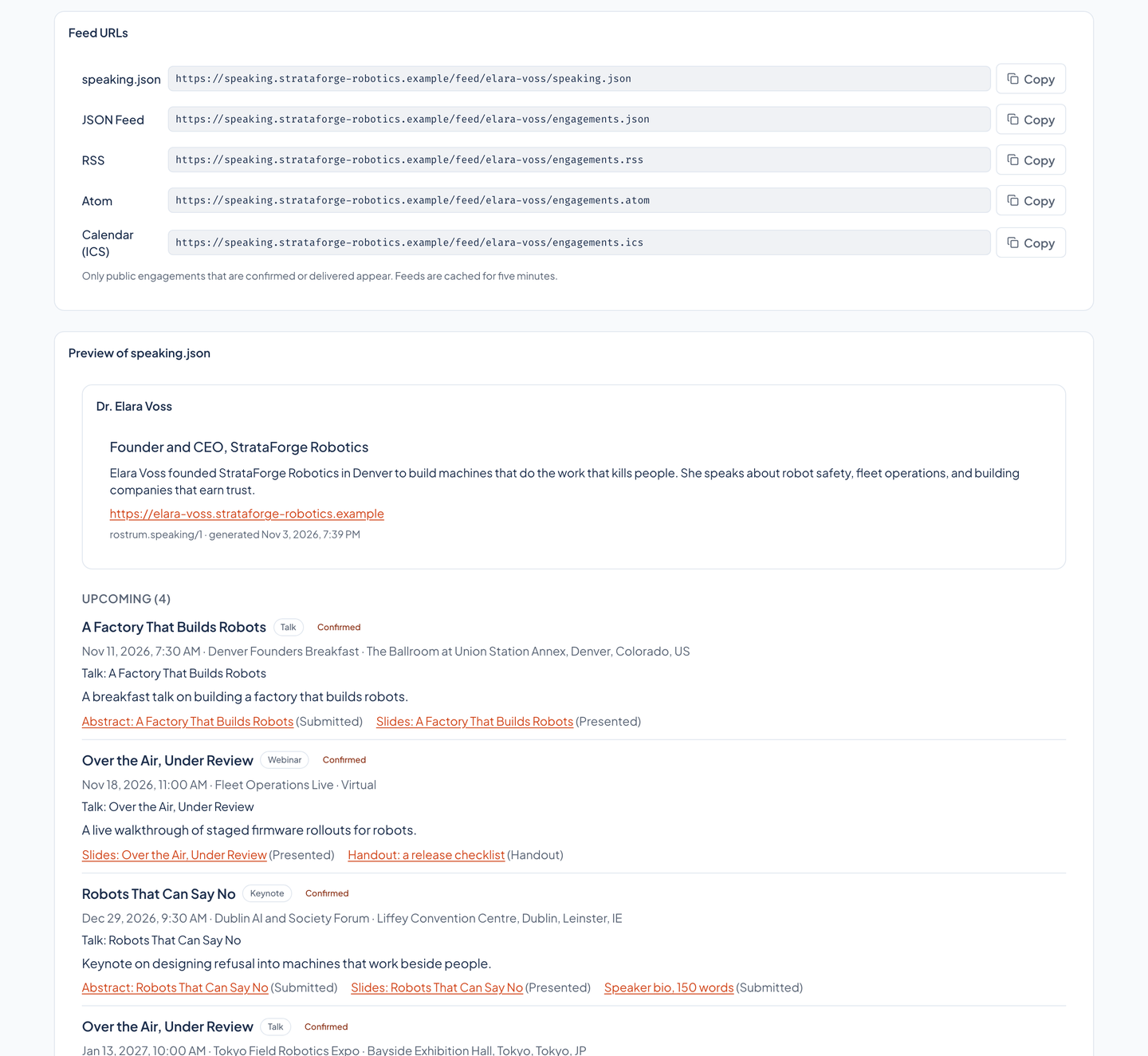
An engagement is in the feed only when it is public, its status is confirmed or delivered, and your profile has a handle. The serializer builds each entry from an explicit list of fields; a field that is not on the list cannot reach the feed, and a new field stays private until someone adds it on purpose and updates the leak test.
- Never in the feed: fee, currency, travel, host contact, private notes, the join link, audience description, call-for-proposals details, and any material or link you did not mark public.
- A talk's details appear only when the talk is public. Otherwise the entry carries the engagement's own title and summary.
- Entry ids are stable, an entry's updated time changes only when a public field changes, and responses carry ETags and a five-minute cache.
- An unknown feed address, or a private material, reads as missing (404), never as forbidden.
| Format | Path | Notes |
|---|---|---|
| speaking.json | /feed/<handle>/speaking.json | Structured for a website: your profile, upcoming and past engagements, and public talks |
| JSON Feed | /feed/<handle>/engagements.json | JSON Feed 1.1 |
| RSS | /feed/<handle>/engagements.rss | RSS 2.0 |
| Atom | /feed/<handle>/engagements.atom | Atom 1.0 |
| Calendar | /feed/<handle>/engagements.ics | iCalendar, one event per engagement |
The Scout
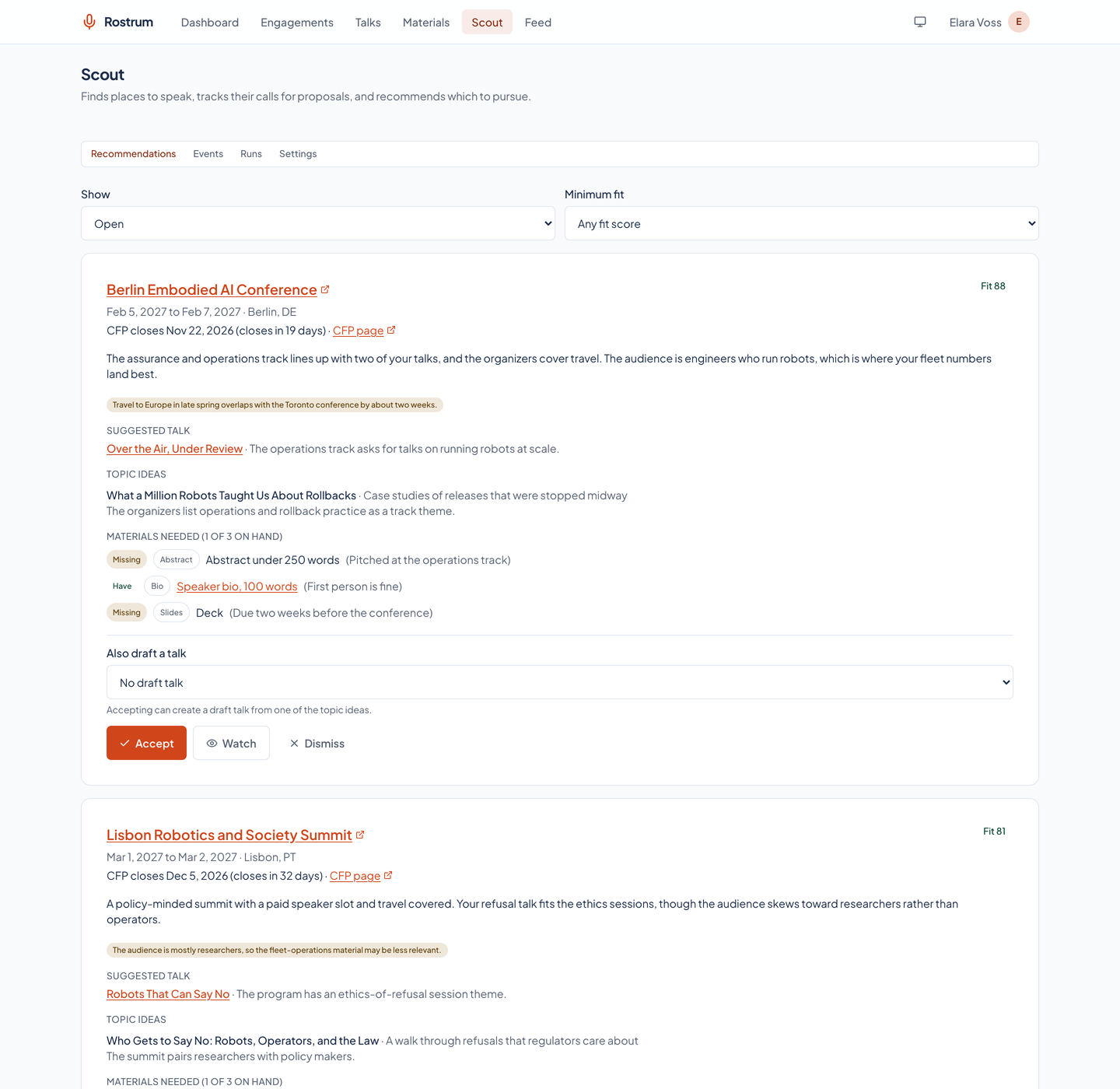
The Scout looks for places to speak. It recommends; you decide.
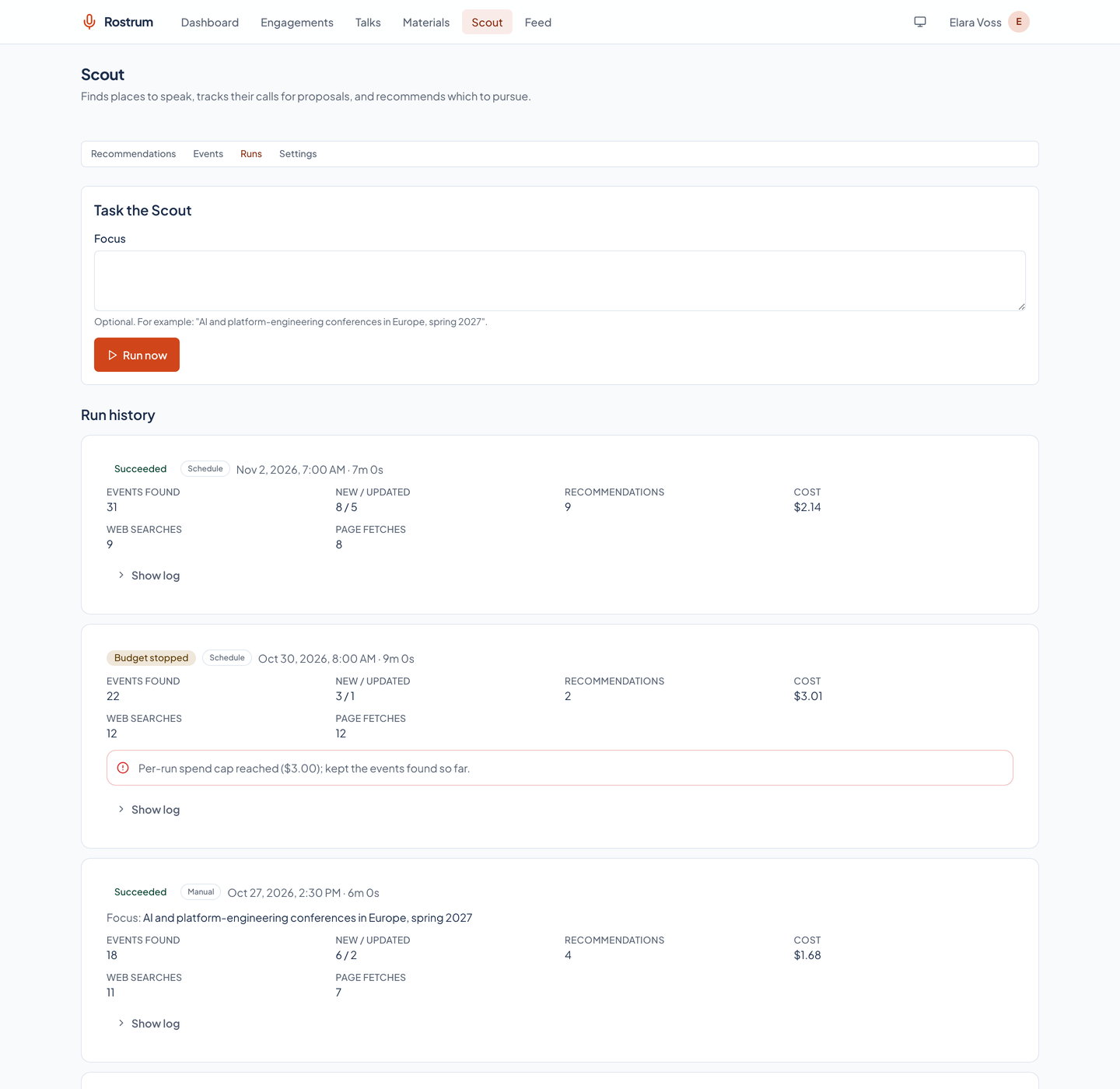
Before every model call the Scout checks the run's spend against its per-run cap and the month's spend against the monthly cap. At either cap it stops with a budget-stopped status and keeps everything it found. The defaults are three dollars a run and fifteen dollars a month, and you can change them.
Pages and datasets are data, not instructions. The agent's answers are validated against a schema before anything is stored, and addresses are stored only when they are web links. One run is active at a time, and a run can be canceled.
Import
A run reads two free public conference datasets and keeps the events that fit your topics, your dates, and your horizon, dropping closed calls for proposals.
Search
It searches the web with Claude for events the datasets missed, guided by your preferences and an optional focus such as a region and a season. The agent has no tool that can change anything.
Recommend
Each new or changed event gets a fit score, a rationale, a suggested talk or new topic ideas, the materials a submission needs, and the reasons it might not fit.
Accept
Accepting creates a prospect engagement and a prep checklist. Watching or dismissing a recommendation sets its event's status, and a later sighting never undoes that.
| Cadence | Off, daily, or weekly (weekly by default), on a schedule or by pressing Run now with an optional focus |
|---|---|
| Run record | Status, timings, events found, new, and updated, recommendations, searches, fetches, tokens, estimated cost, and a log |
| Statuses | Queued, running, succeeded, failed, canceled, or budget stopped |
What is not in Rostrum
Rostrum owns speaking and nothing else.
- It does not edit slides; it stores the decks you upload, with their versions.
- It does not book travel, issue invoices, or keep a contact book.
- The Scout never submits a proposal, sends a message, or books anything for you.
- It serves one speaker's own records today; another account's record reads as missing.
The screenshots on this site show a fictional speaker and invented events, and the Scout's screens come from rows written into a throwaway database, not from a search.
Questions about this tool?
Write to Renkara Media Group and a person will answer.