
Your speaking life, in order, and on your website.
Every invitation becomes an engagement. Every abstract, bio, and deck is versioned, and each engagement remembers the version it used. A public feed puts your talks on your own site.

Everything a speaker keeps track of, in one place.
Rostrum is a web app for a working speaker. It runs today and holds engagements, talks, materials, a public feed, and the Scout. The people and events on this site are fictional, and every screen is a capture of the running app. These are the things it does.
Every engagement, from invitation to delivered
A pipeline with rules
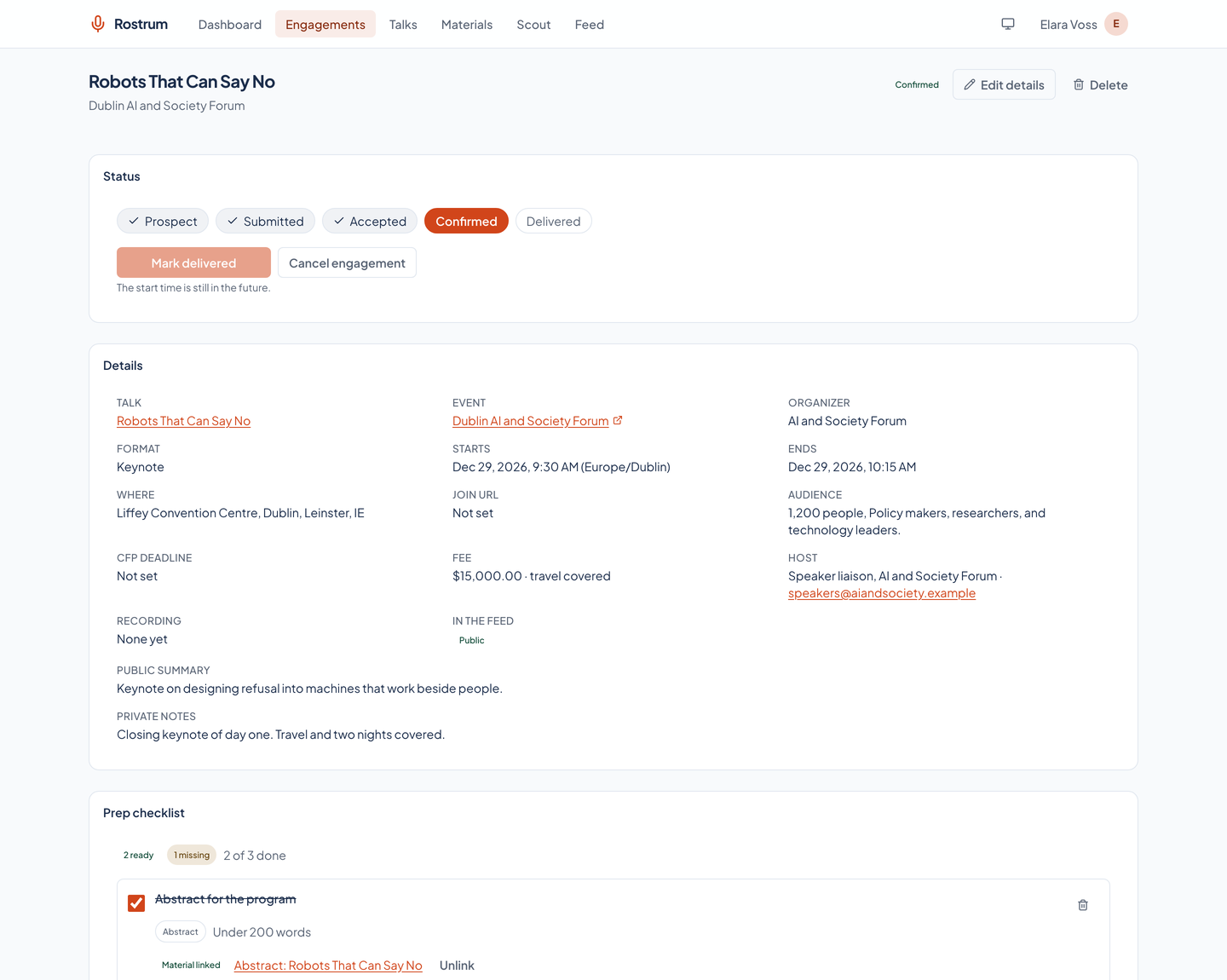
An engagement starts as a prospect and moves through submitted, accepted, and confirmed to delivered, with declined, rejected, and canceled as ways out. Each move is checked: confirmed needs a start time, delivered needs a start time that has passed, and an illegal move is refused.
- Everything about the event
- The event and its link, the organizer, one of ten formats (keynote, talk, workshop, panel, fireside, podcast, webinar, lecture, meetup, or other), the start and end in the event's own time zone, the venue or a private join link, the audience, the call-for-proposals deadline, the fee, whether travel is covered, the host, and private notes.
A dashboard for what is due
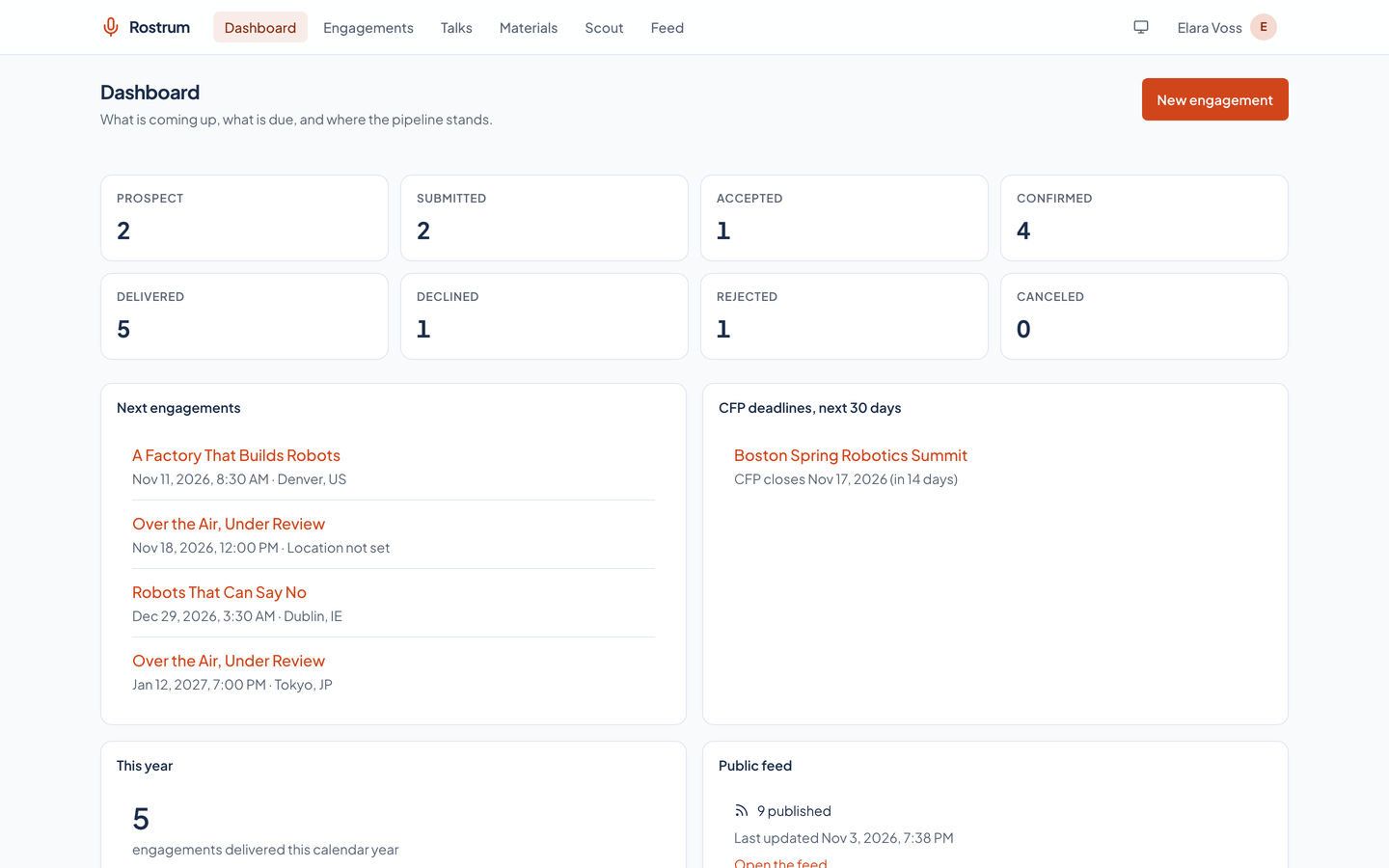
Counts by status, the next confirmed engagements, the calls for proposals closing in the next 30 days, how many talks were delivered this year, and how many engagements the public feed carries.
Find any engagement
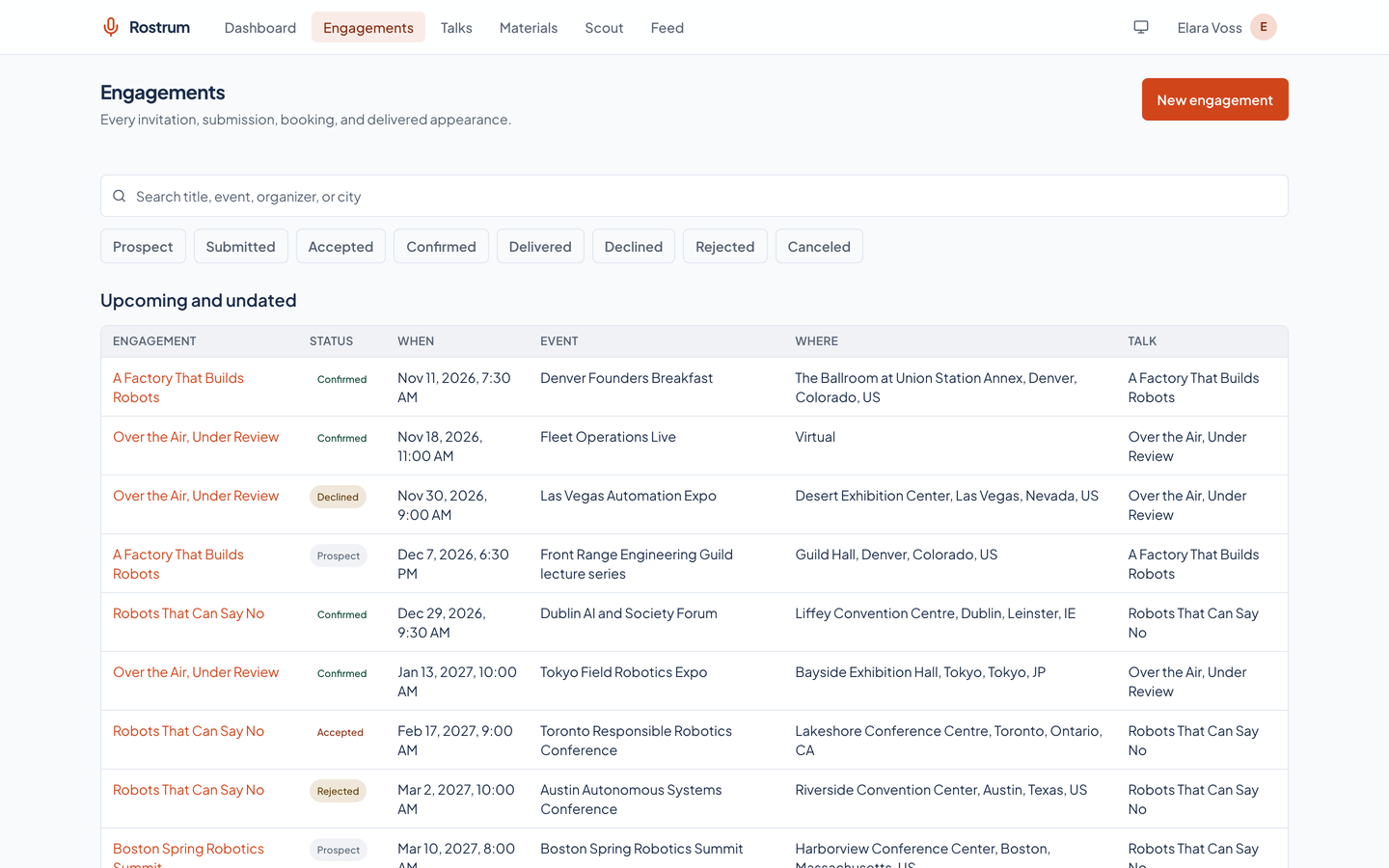
Filter by status, date range, talk, and whether it is public, or search the title, event, organizer, and city. Upcoming engagements come first, soonest at the top, then past ones, most recent first.
- A history that stays put
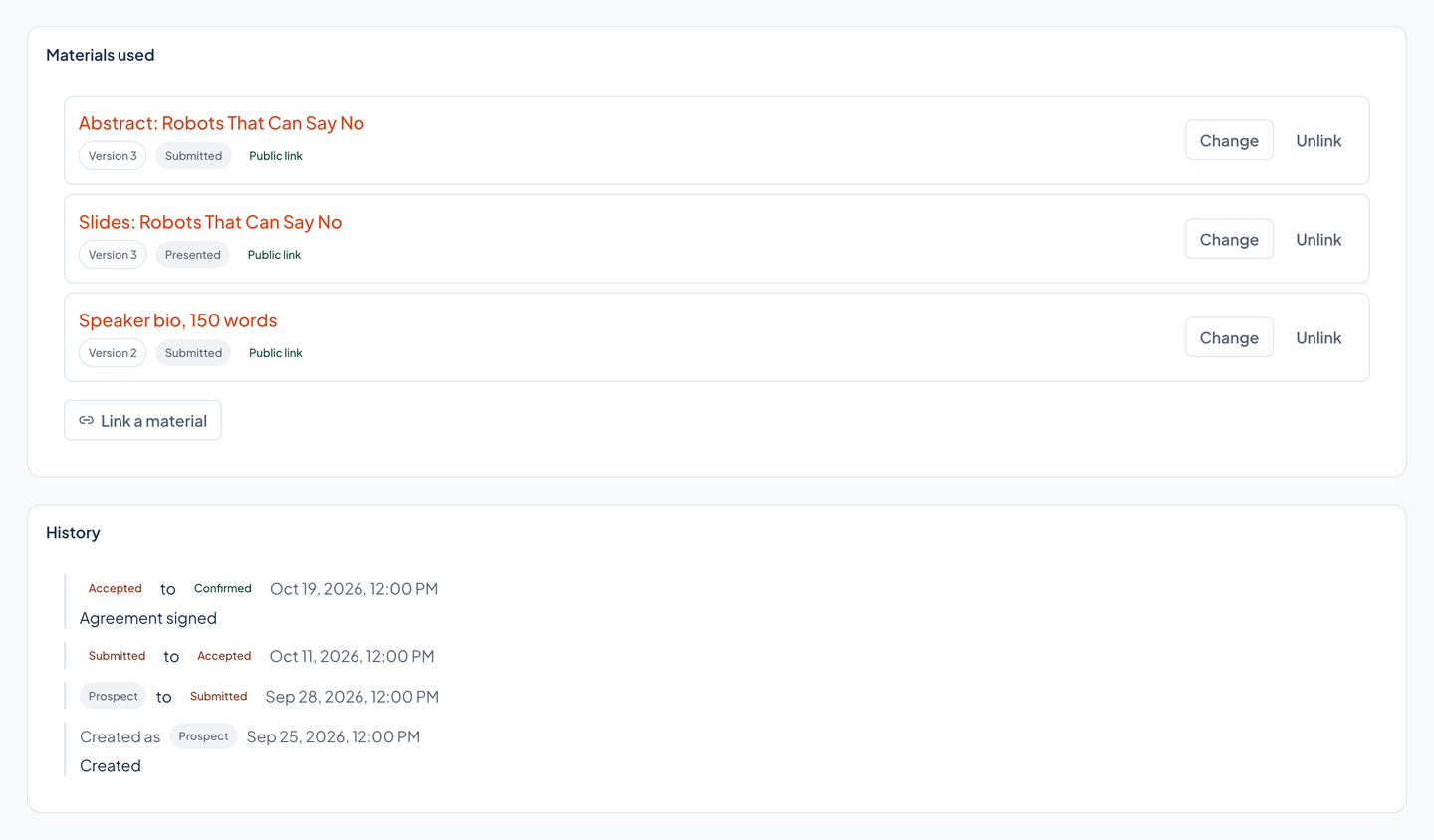
- Every status change is recorded with its time and an optional note, so you can see when a proposal went in and when the answer came back.
Talks and materials that remember
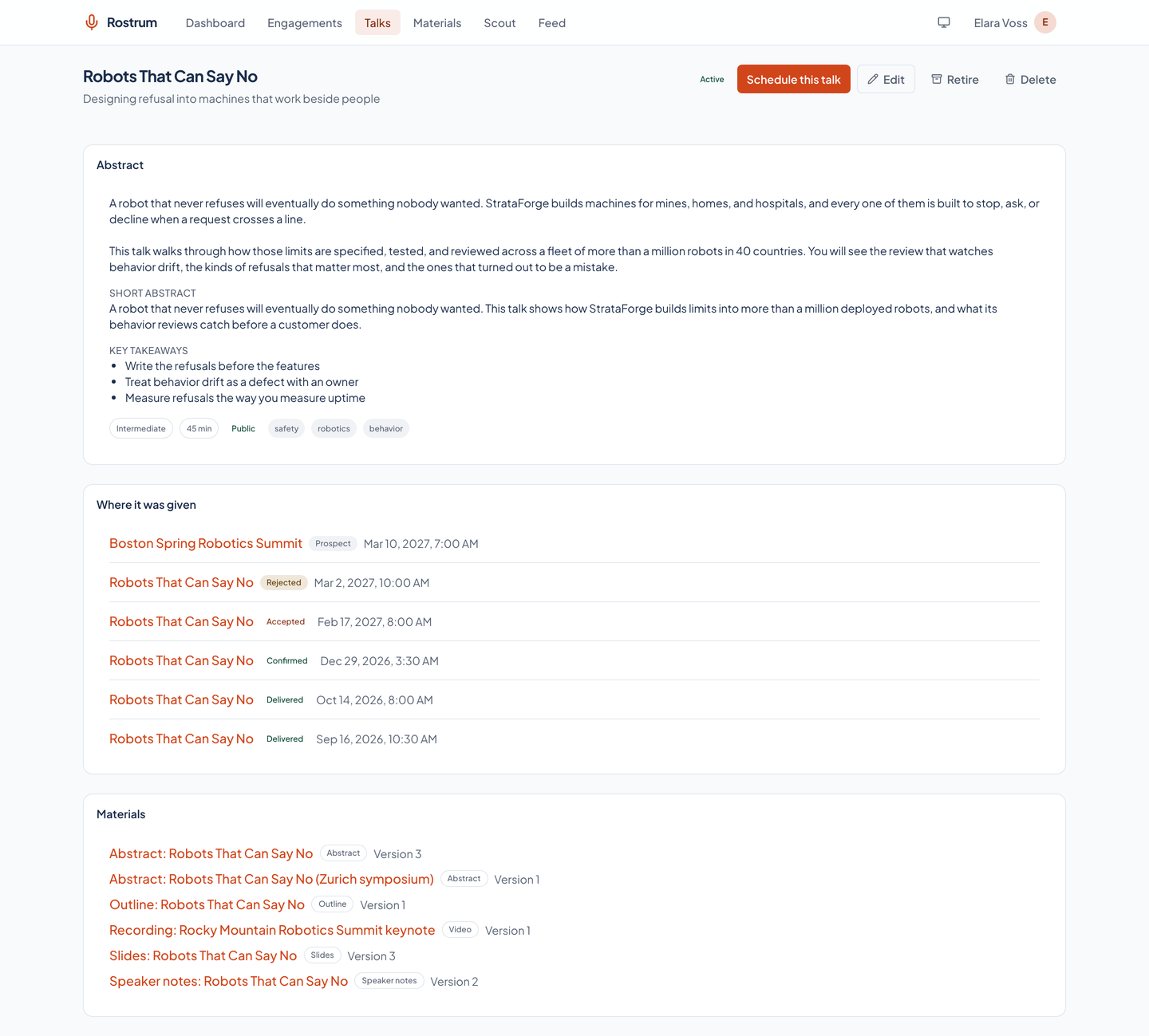
Talks you give more than once
A talk keeps its title, subtitle, abstract in Markdown, a short abstract of up to 300 characters, key takeaways, tags, level, typical length, and status. Its page lists every engagement that gave it and every material attached to it. A talk with engagements cannot be deleted; it is retired instead.
A library for every kind of material
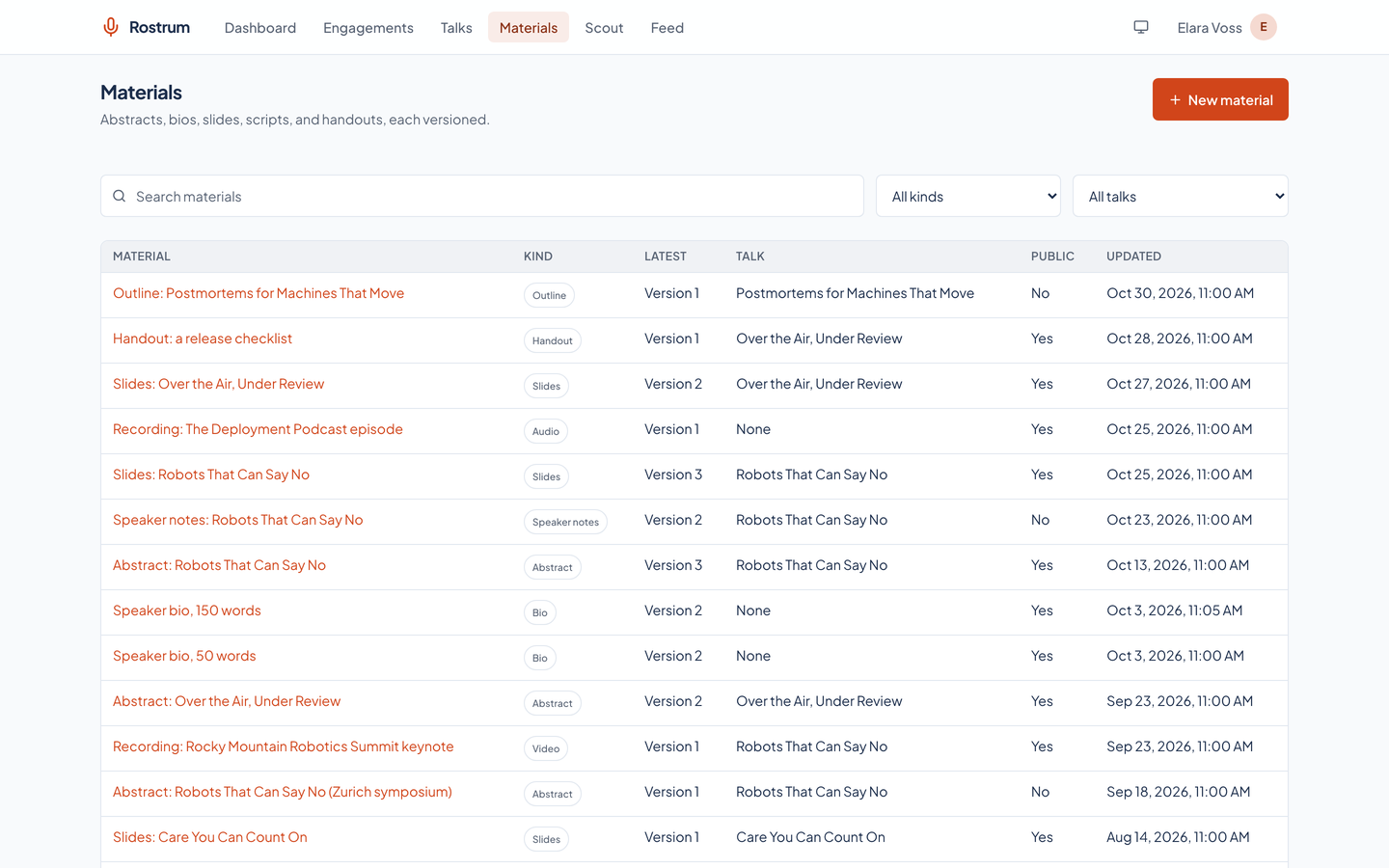
Abstracts, bios, slides, scripts, speaker notes, outlines, handouts, video, audio, photos, links, and anything else. A material holds Markdown text, an uploaded file of up to 250 MB, or a link, and may belong to a talk or to none, as a bio usually does.
Every change is a new version
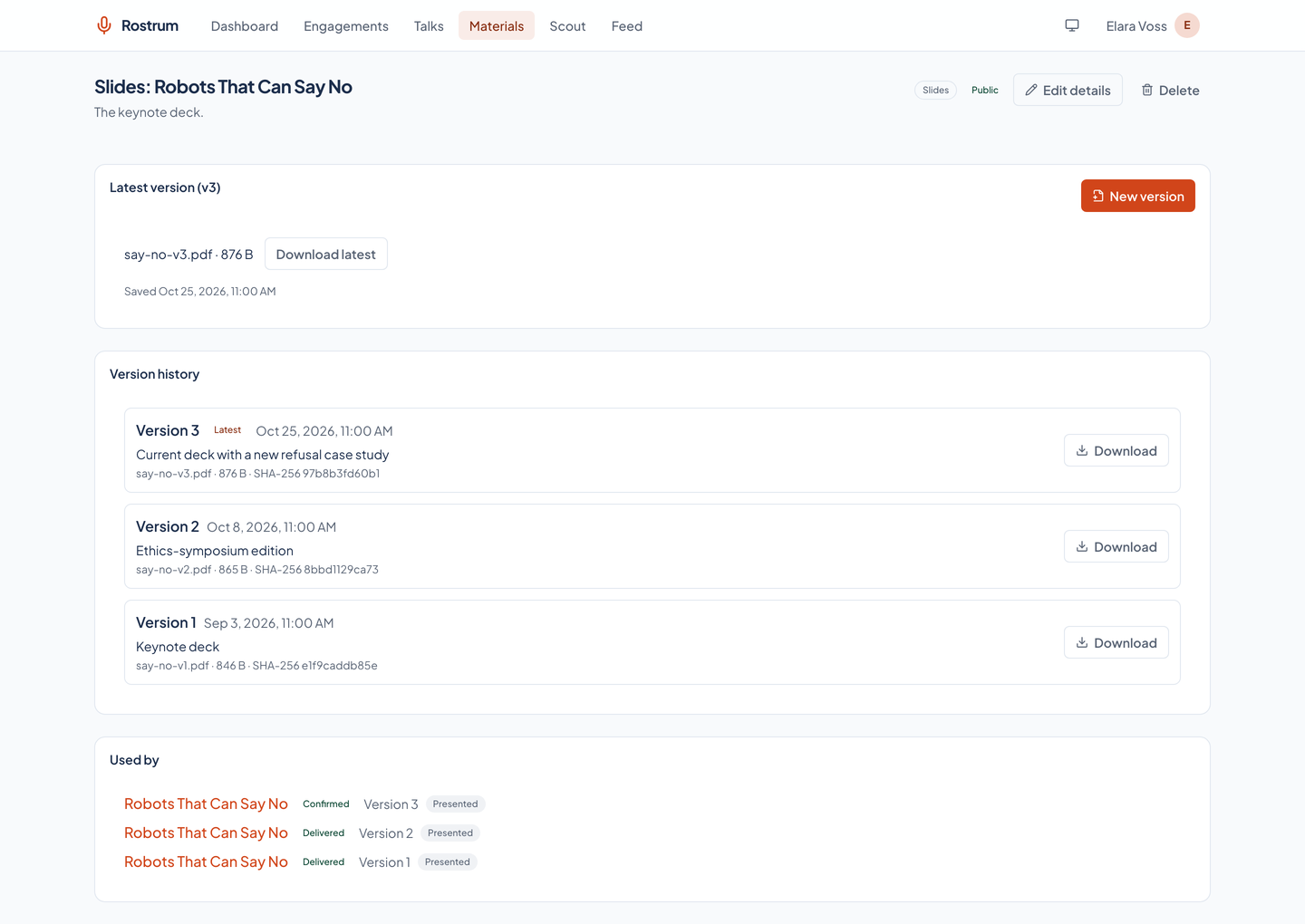
Editing a material never overwrites it. Each change is a numbered, immutable version with a note, and an uploaded file keeps its name, type, size, and SHA-256 checksum. Earlier versions stay readable and downloadable.
The exact version each engagement used
An engagement links the materials it used, each pinned to one version and given a role: presented, handout, submitted, promo, or recording. Months later, the answer to what you actually presented is on the page, even after the deck changed.
- Nothing in use can disappear
- A material linked to any engagement cannot be deleted, and neither can a talk that has engagements. The app refuses with a clear message instead.
A public feed that cannot leak
Five formats from one place
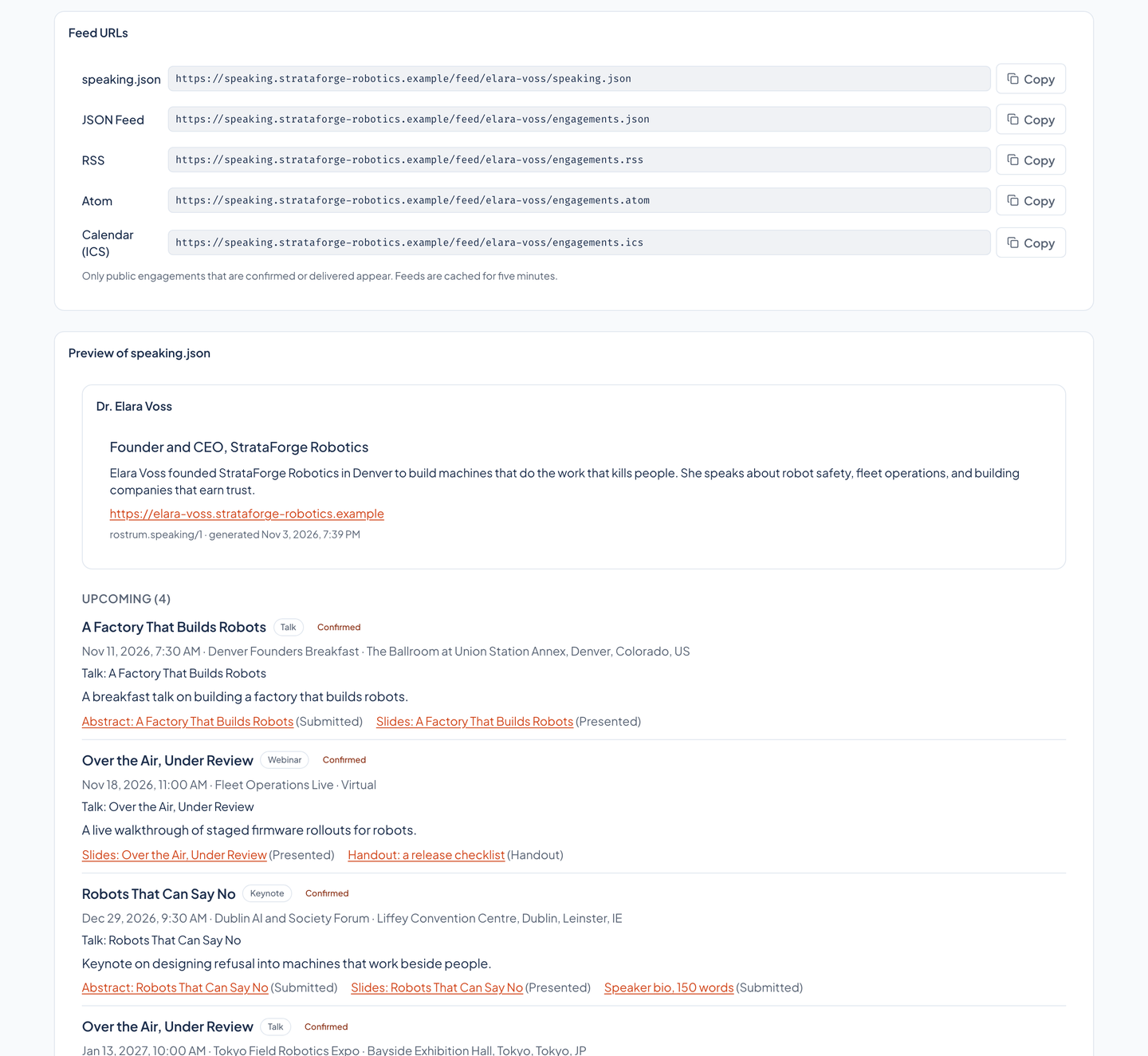
A structured speaking.json for your website, a JSON Feed, RSS, Atom, and an iCalendar file with one event per engagement. Entries have stable ids, update times that change only when a public field changes, and a five-minute cache, and any website may read them.
Preview what the world sees
The app shows a preview of speaking.json built by the same code that serves it, with each format's address ready to copy. Markdown in the feed is rendered to sanitized HTML, and raw HTML is stripped.
- An allowlist, not a filter
- Only engagements you mark public that are confirmed or delivered appear. The feed is built from an explicit list of fields, so a fee, currency, travel note, host contact, private note, join link, audience description, or call-for-proposals detail never leaves the app, and a test proves no private field leaks.
- Private reads as missing
- An unknown feed address or a private material answers 404, never 403, so the feed reveals nothing about what exists. Files are served through the feed only for materials you marked public.
An agent that finds where to speak, on a budget
Tell it what you want
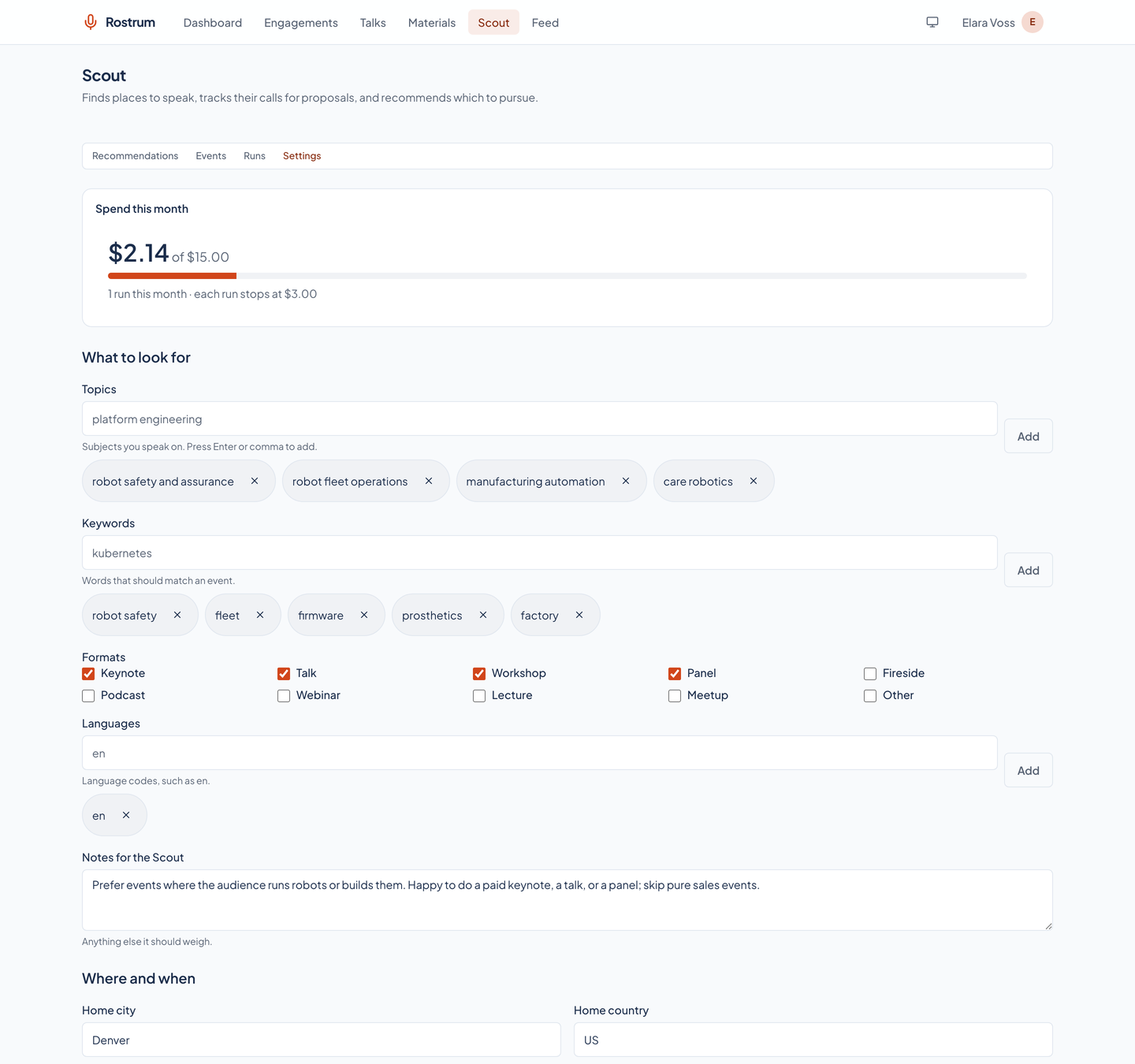
Topics and keywords, your home city, the regions you will travel to, whether international and virtual events are wanted, formats, a minimum audience, paid-only, how far ahead to look, blackout dates, and free-form notes. A cadence (off, daily, or weekly) and the spend caps live beside them.
Events it finds, kept tidy
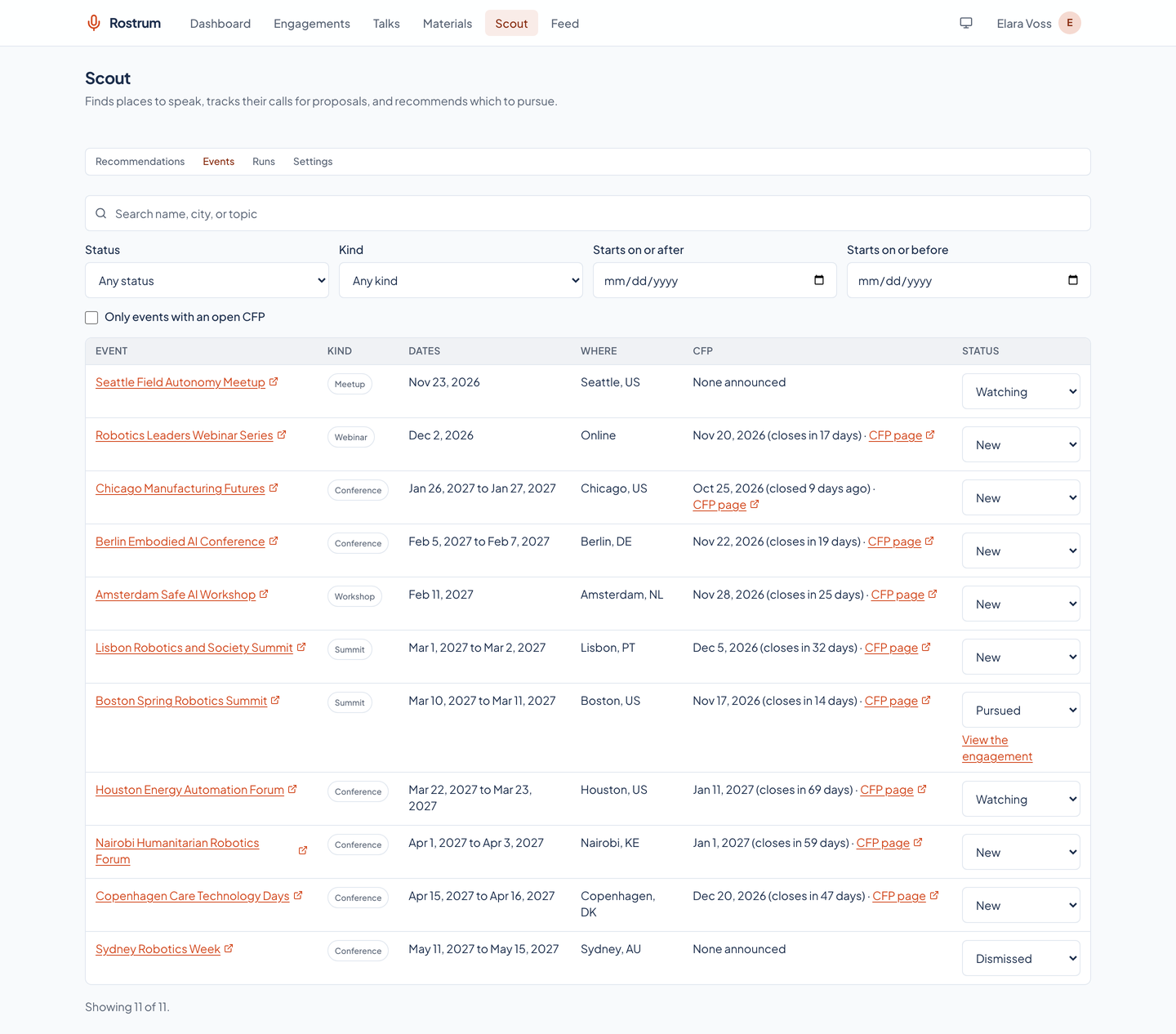
The Scout tracks each event's dates, place, topics, audience, call-for-proposals window, and speaker benefits (travel, fee, ticket), de-duplicated by address or by name and date. A sighting updates the event; it never resets your decision to watch, dismiss, or pursue it.
Recommendations with the homework done
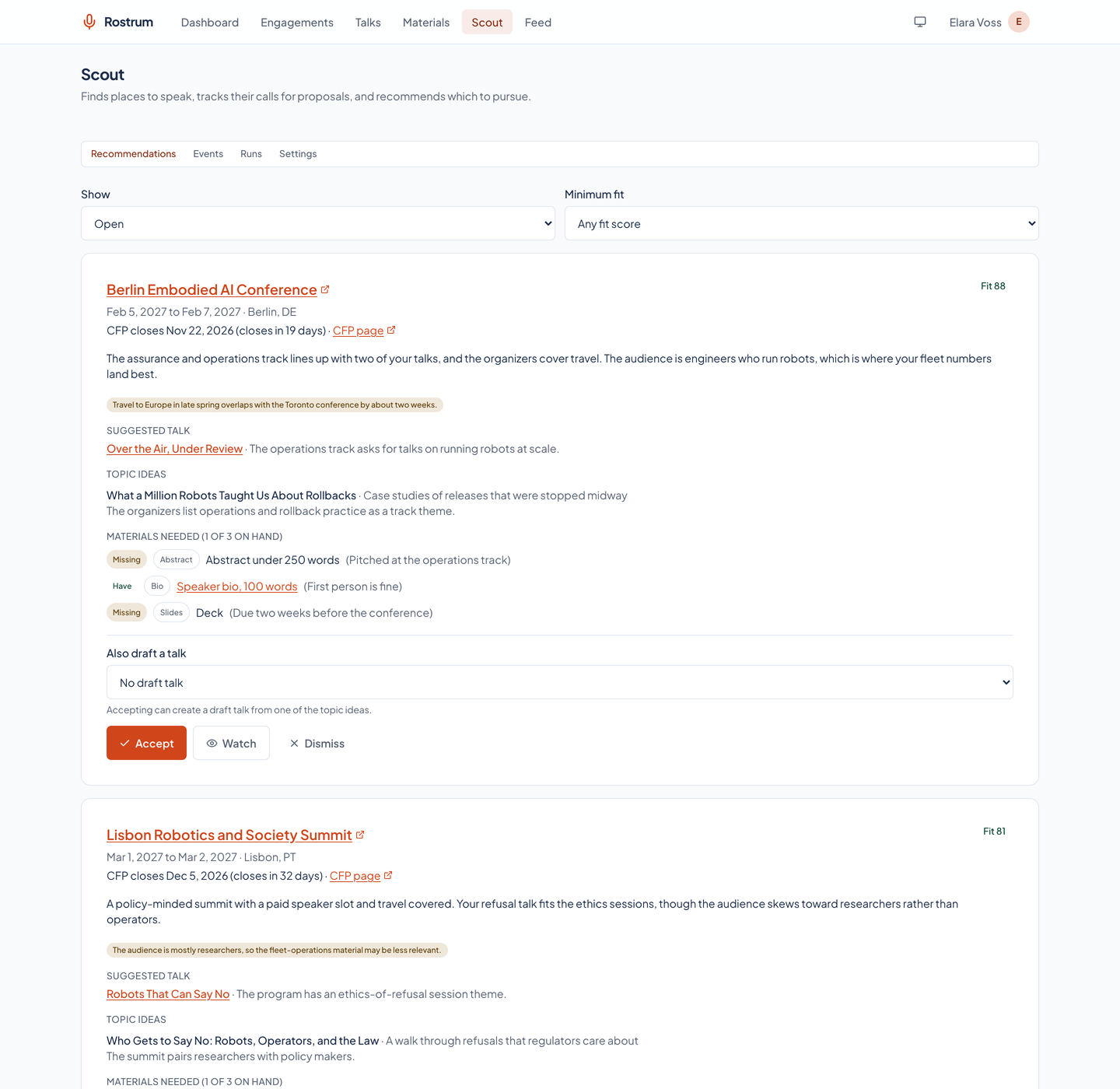
Each recommendation carries a fit score from 0 to 100, a short rationale, the best existing talk (or up to three new topic ideas), the materials a submission would need with the ones you already have marked, the deadline, and the reasons it might not fit. Events that break a hard preference are scored but flagged.
Accept to start the engagement
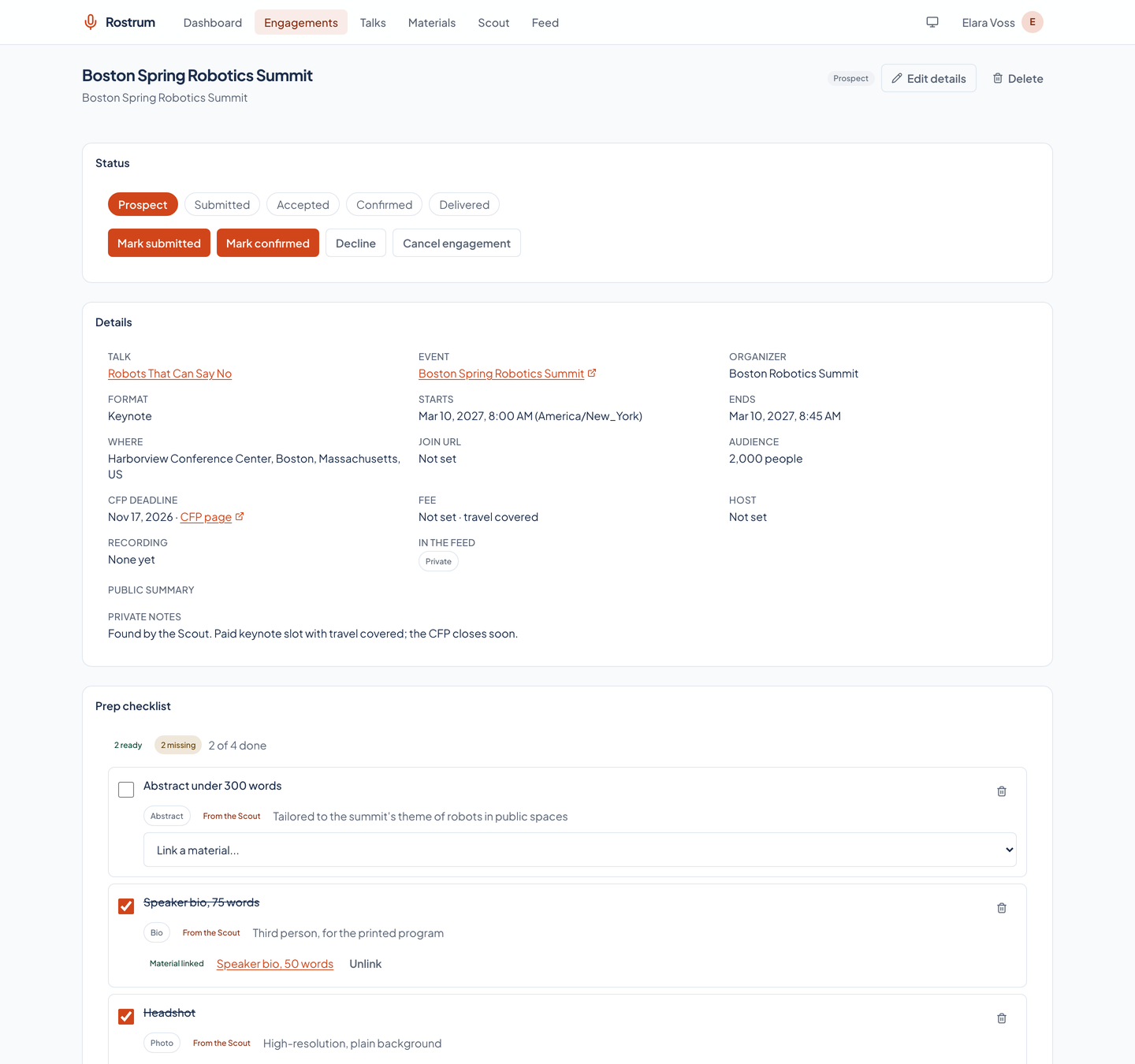
Accepting a recommendation creates a prospect engagement from the event and a prep checklist from the materials needed, and can draft a talk from a topic idea. The Scout never submits anything for you.
A budget it cannot overspend
Before every model call the Scout checks the run's spend against a per-run cap (three dollars by default) and the month's spend against a monthly cap (fifteen dollars by default). At either cap it stops, keeps what it found, and says so. Every run records its searches, tokens, cost, and a log.
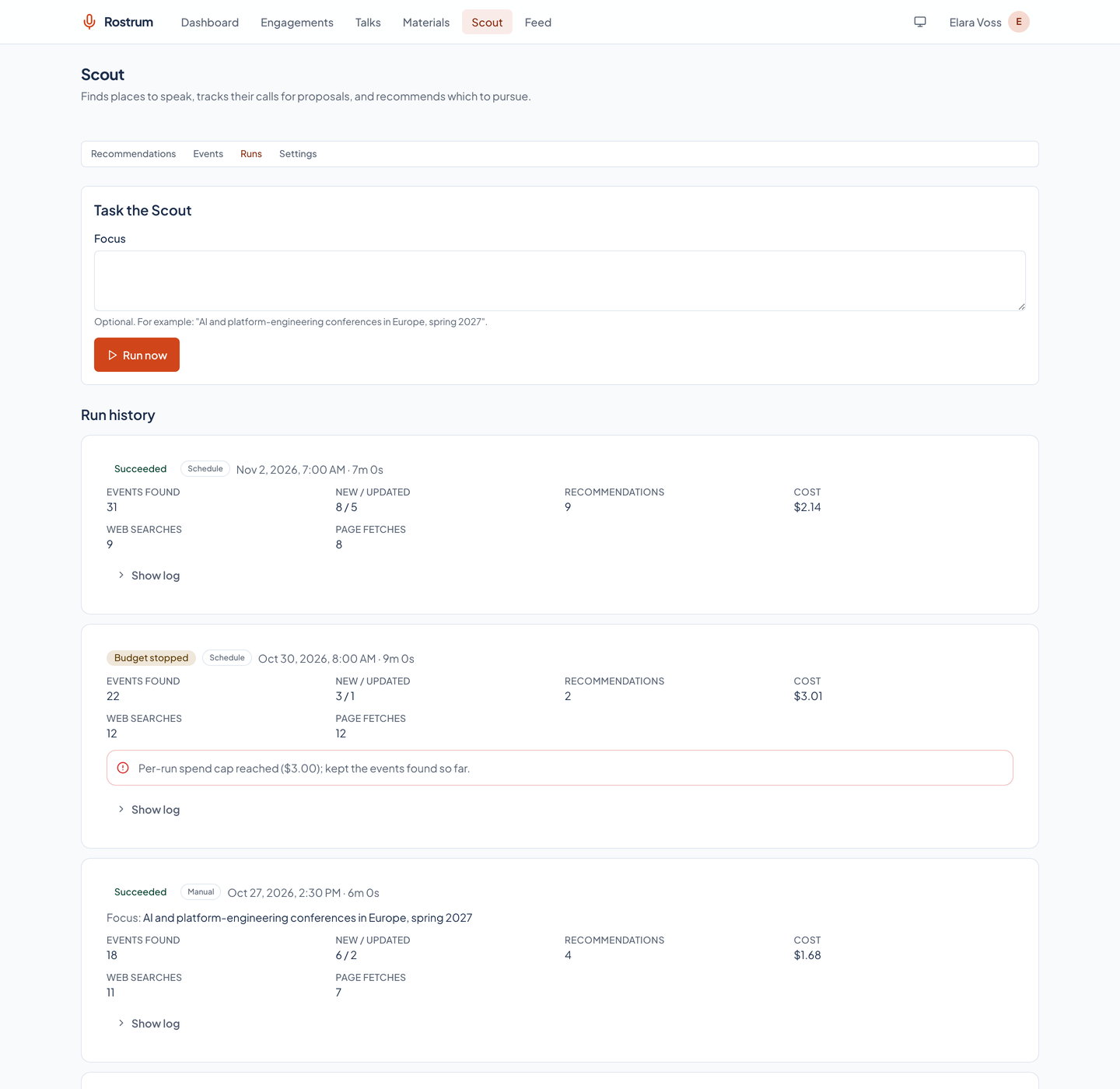
See it in light and dark
Real captures of the running tool, with fictional StrataForge Robotics data. They follow your theme.
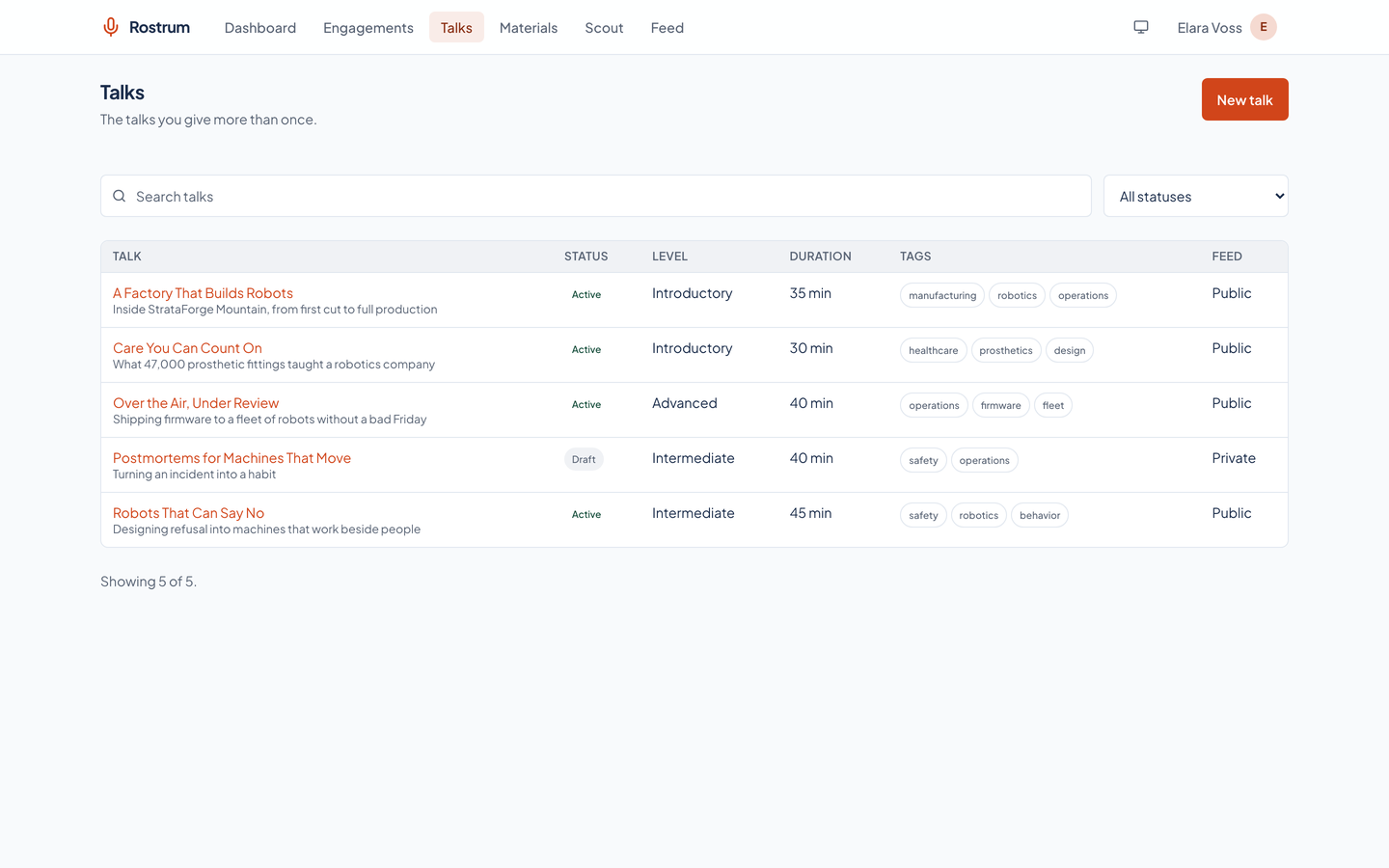
From invitation to a version you can point to
Record
An invitation arrives or a call for proposals opens. You record it as a prospect, or accept a Scout recommendation, with the event, the date, the host, and the talk you intend to give.
Prepare
A prep checklist shows what is ready and what is missing. You write or reuse the abstract, bio, and deck, and every change to them is a new version.
Move it along
The engagement goes from submitted to accepted to confirmed as the event replies, and each move is recorded. Link the materials it used, each at its exact version.
Publish and deliver
Once confirmed and public, it appears in the feed. After the talk, add the recording and mark it delivered.
Built so everyone can use Rostrum.
Rostrum's app is built on the Renkara design system. A scripted axe-core run covers nine of its views in light and dark at phone and desktop widths, and the same run walks the keyboard on two pages and checks for sideways scrolling. It found no serious or critical violation, and it found 40 smaller ones that we list below. Here is what the product supports today and what we have actually checked. We do not claim a WCAG conformance level for the product.
Partly supported
Keyboard operation
Every control is a native link, button, or form field, and a skip link comes first. In a scripted run, Tab walked 40 stops on the dashboard and 60 on an engagement page, and every stop showed a focus indicator except where focus left the page. Nobody has walked every flow with a keyboard alone.
Partly supported
Screen reader landmarks and labels
axe-core, which checks names, labels, roles, and landmark structure, found no serious or critical violation on nine views. It found two smaller kinds of problem, listed under known gaps. Rostrum has not been tested with a screen reader.
Supported
Contrast in light and dark
Text and controls are checked for contrast in both the light and dark themes, and the brand color is held to 4.5 to 1 on the card colors by a test.
Partly supported
Reduced motion
The stylesheet shortens animations and transitions to a moment when the visitor asks for reduced motion. The dashboard runs no animation with or without that setting, so the scripted run could not tell the two apart, and drawers and toasts were not exercised.
Not yet tested
Text resize and zoom
Resizing text to 200 percent has not been tested.
Partly supported
Mobile and touch
All nine views fit a 375 pixel and a 320 pixel wide screen with no sideways scrolling of the page. At 375 pixels nearly every control is at least 44 pixels tall, but the header's menu and theme buttons are 36 pixels wide, and the checklist checkboxes are 24 by 24 pixels inside a larger row.
Under the hood
| Application |
|
|---|---|
| Service |
|
| Public feed |
|
| Scout |
|
| Access |
|
| Tests |
|
Built for agents as well as people
Rostrum runs an MCP server, so an AI assistant can manage engagements, talks, and materials, preview the feed, and drive the Scout. 40 tools, 14 of them for the Scout.
Engagements
list_engagementsget_engagementcreate_engagementupdate_engagementtransition_engagementdelete_engagement
Talks
list_talksget_talkcreate_talkupdate_talkdelete_talk
Materials
list_materialsget_materialget_material_textcreate_materialadd_material_versionupdate_materialdelete_materiallink_materialunlink_material
Profile and feed
get_profileset_profileget_dashboardget_feed_preview
Scout
get_scout_preferencesset_scout_preferencesstart_scout_runlist_scout_runsget_scout_runcancel_scout_runget_scout_spendlist_scout_eventsget_scout_eventset_scout_event_statuslist_recommendationsaccept_recommendationdismiss_recommendationwatch_recommendation
Operations
check_service_healthget_diagnostics
Questions people ask
Who is Rostrum for?
A working speaker who gives talks, answers invitations, and answers calls for proposals through the year. It is a Renkara fleet tool, and today it serves one speaker's own engagements; every record belongs to one account. There is no sign-up on this site. Write to fleet@renkara.com with questions.
Can the feed expose my fee or my contacts?
No. The feed is built from an explicit allowlist, not by hiding fields. A fee, currency, travel note, host contact, private note, join link, audience description, or call-for-proposals detail is not in any format, and a test proves it. An engagement appears only when you mark it public and it is confirmed or delivered.
What happens when I change a bio or a deck?
A new version is created and the old one stays. Each engagement that used the material keeps pointing at the version it used, so its history never rewrites itself. You can move an engagement to a newer version on purpose.
Does the Scout spend money?
Its search and its recommendations call a language model, which costs money, so the Scout runs under a per-run cap and a monthly cap and stops at either one. With no model key configured, the free dataset import still runs and the paid steps are skipped. Every run shows what it spent.
Does the Scout act on its own?
No. It recommends. Accepting a recommendation creates a prospect engagement and a checklist for you to work through, and it never submits a proposal, sends a message, or books anything. Web pages it reads are treated as data, never as instructions.
Is the data in the screenshots real?
No. Every screenshot is a capture of the running app over invented records: a fictional speaker at StrataForge Robotics, a fictional company, with made-up conferences, organizers, and addresses on reserved example domains. The Scout screens were captured with the schedule off and no model key present, so nothing was searched or spent; its events, runs, and recommendations were written into a throwaway database.
Does it edit my slides, book travel, or send invoices?
No. Rostrum stores your decks and files with their versions, but it does not edit them. It does not book travel, issue invoices, or keep a contact book.
Why is the feed not just a page on my site?
Because your site should not hold the data. Rostrum keeps the records, and your website reads speaking.json (or any of the other formats) to draw its speaking page, so a confirmed talk shows up without anyone editing the site.
Questions about this tool?
Write to Renkara Media Group and a person will answer.